30-day return window on unopened and undamaged items
Questions? Call +1.800.992.2237
Product Overview
Empower your productivity with the Lenovo 16" ThinkPad E16 Gen 3, a compact powerhouse built for business. Driven by an Intel Core Ultra 5 225U 12-Core processor and 16GB of LPDDR5X RAM, it handles demanding workflows with ease while the 1TB SSD provides ample, fast storage.
The 16" IPS display delivers a sharp 1920 x 1200 resolution with wide viewing angles, all powered by integrated Intel Graphics. Stay connected with Wi-Fi 6E and Gigabit Ethernet, and log in securely using the fingerprint reader or facial recognition with Windows Hello on Windows 11 Pro.
Key Features
Operating System
Windows 11 Pro
Processor
Intel Core Ultra 5 225U
CPU
12-Core: 1.5 to 4.8 GHz Performance (2 Cores), 1.3 to 3.8 GHz Efficiency (8 Cores), 0.7 to 2.4 GHz Low Power Efficiency (2 Cores)
Dedicated AI Cores
Yes: 12 TOPS
L3 Cache
12 MB
GPU
Intel Graphics
Installed RAM
16 GB
RAM Type
5600 MT/s LPDDR5x
RAM Configuration / Capacity
/ 2 Slots Supporting up to 64 GB (SO-DIMM)
vPro Support
No
Display Size
16"
Panel Type
IPS-Type LCD
Aspect Ratio
16:10
Native Resolution
1920 x 1200
Touchscreen
No
Finish
Anti-Glare
Maximum Brightness
300 nits / cd/m2
Refresh Rate
60 Hz
Total Capacity
1 TB
Storage Drive Type
1x 1 TB / M.2 NVMe SSD
Storage Expansion
1x M.2 Slot 2280 [Occupied]
Inputs/Outputs
1x USB-C (Thunderbolt 4) / Supports Power Delivery, 1x USB-C 3.2 Gen 2x2 / Supports Video Alt Mode and Power Delivery, 1x USB-A 3.1/3.2 Gen 2 / Supports Power Delivery, 1x USB-A 3.0 / 3.1/3.2 Gen 1
Display I/O
1x HDMI 2.1 Output
Audio I/O
1x 1/8" / 3.5 mm Headphone/Microphone Input/Output
The Lenovo 16" ThinkPad E16 Gen 3 Laptop does not feature a backlit keyboard.
What is the memory configuration for the 16GB model?
The 16GB model has one 16GB module installed at the factory.
What security features are included?
It includes a fingerprint reader on the power button, facial recognition via Windows Hello, a discrete TPM 2.0 chip, and a Kensington Nano security slot.
What ports are available for connecting external displays?
You can connect external displays via the HDMI 2.1 port, the USB-C Thunderbolt 4 port supporting DisplayPort 2.1, or the USB-C 3.2 Gen 2x2 port supporting DisplayPort 1.4.


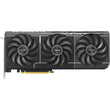 ASUS GeForce RTX 5070 Prime 12GB GDDR7 Graphics Card
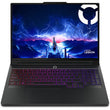 Lenovo 16" Legion Pro 7i Intel Core Ultra 9 32GB 2TB RTX 5080
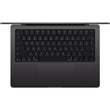 Apple 14" MacBook Pro M5 Pro 15-Core 16-Core GPU 24GB 1TB Space Black
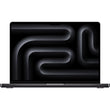 Apple 14" MacBook Pro M5 10-Core 10-Core GPU 16GB 1TB Space Black